Select Git revision

README.md 3.74 KiB
Introduction
[FR] Introduction
Ceci est le code source de l'interface utilisateur de LexImpact.
LexImpact permet aux administrations, aux parlementaires et à la société civile de simuler l'impact ex ante des réformes au système socio-fiscal.
LexImpact est constitué de deux parties :
- leximpact-server : application en python utilisant OpenFisca-France permettant de mettre en place une API Web répondant à des questions sur l'impact de modifications de la loi fiscale,
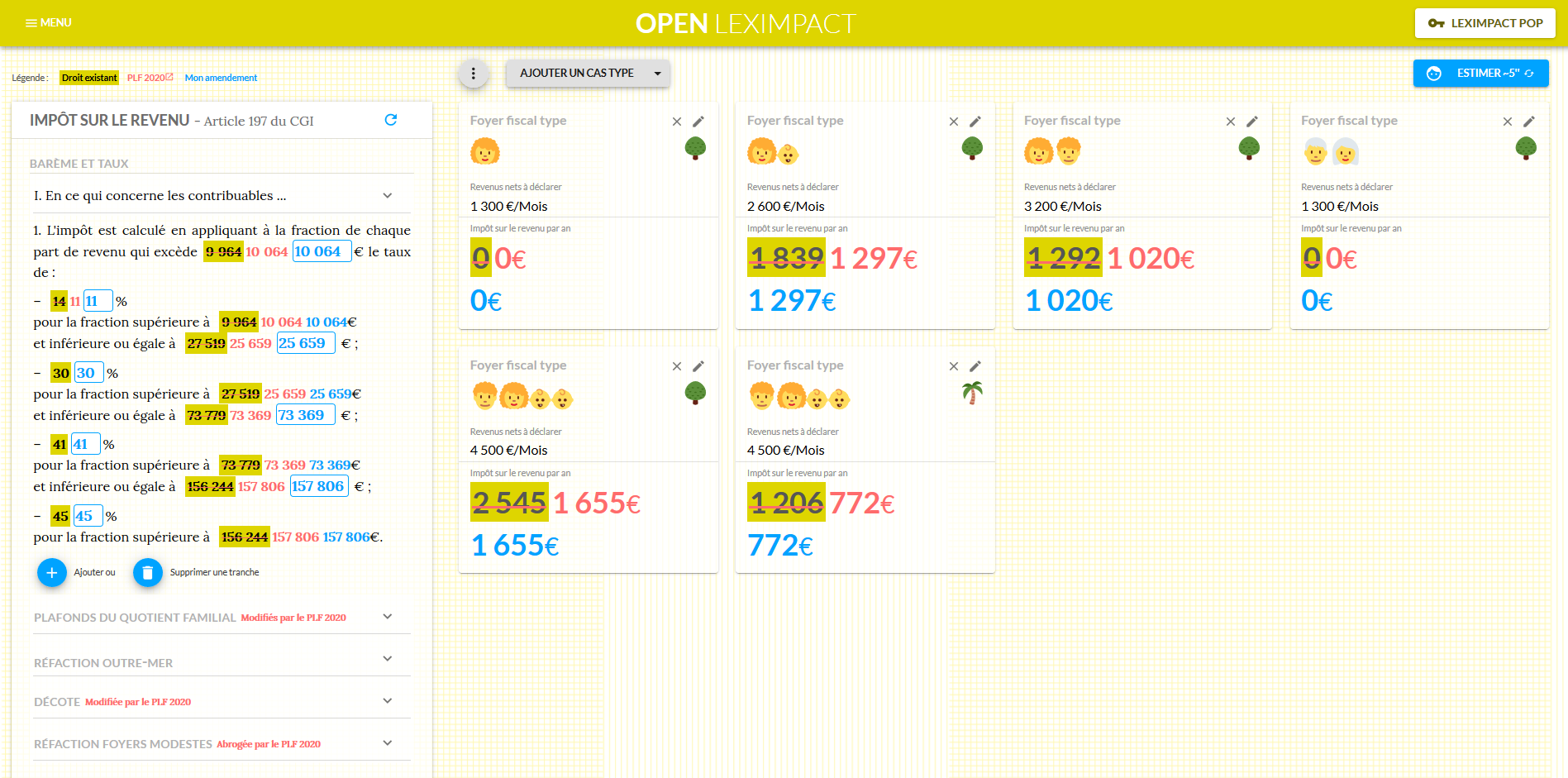
- Ici même, leximpact-client : interface web communiquant avec l'API qui met à disposition des usagers un site web permettant de définir des modifications de la loi et d'en visulaliser les résultats calculés par l'API.
[EN] Introduction
This is the source code of LexImpact user interface.
LexImpact allows civil servants, policy makers and citizens to simulate the ex ante impact of a reform to a country's tax-benefit system.
LexImpact has two components:
- leximpact-server: a Python application using OpenFisca-France and providing a Web API responding to requests on the impact of a change of the tax law,
- Here, leximpact-client: a web interface interacting with leximpact-server API and providing to the users a web site to set law tax changes and see the results calculated by the API.
How to use
npm install
npm run dev
Configuration file .env
A file name .env is necessary for the client to work properly. The file .env.example can be copied into it.
Variables of environment that should be set are:
- API_URL : leximpact-client is just a web interface, that does not do computations by itself, but needs to be provided a working Leximpact-server endpoint to fetch results. As of 2019-11-06, a working API example can be found on the endpoint https://api.leximpact.beta.gouv.fr
- PORT : describes the port that the client will be setup to (e.g. the website will be accessible from http://127.0.0.1: if the client is run locally). If ommited, defaults to 9001
Snapshots Jest (Tests)
Snapshot tests are a very useful tool whenever you want to make sure your UI does not change unexpectedly.

A typical snapshot test case for a mobile app renders a UI component, takes a snapshot, then compares it to a reference snapshot file stored alongside the test. The test will fail if the two snapshots do not match: either the change is unexpected, or the reference snapshot needs to be updated to the new version of the UI component../node_modules/.bin/jest --updateSnapshotsIcons & Emoji
Screenshot